Start with one detail you cannot see
Instead of describing everything in the frame, write the part the camera could not capture: a joke, a song, the reason for a trip, or how you felt.
For example: ‘We missed the bus and walked along the beach instead. The wrong turn became my favourite part of the day.’ This is a fictional example, not a customer story.
Keep the photo and the memory together
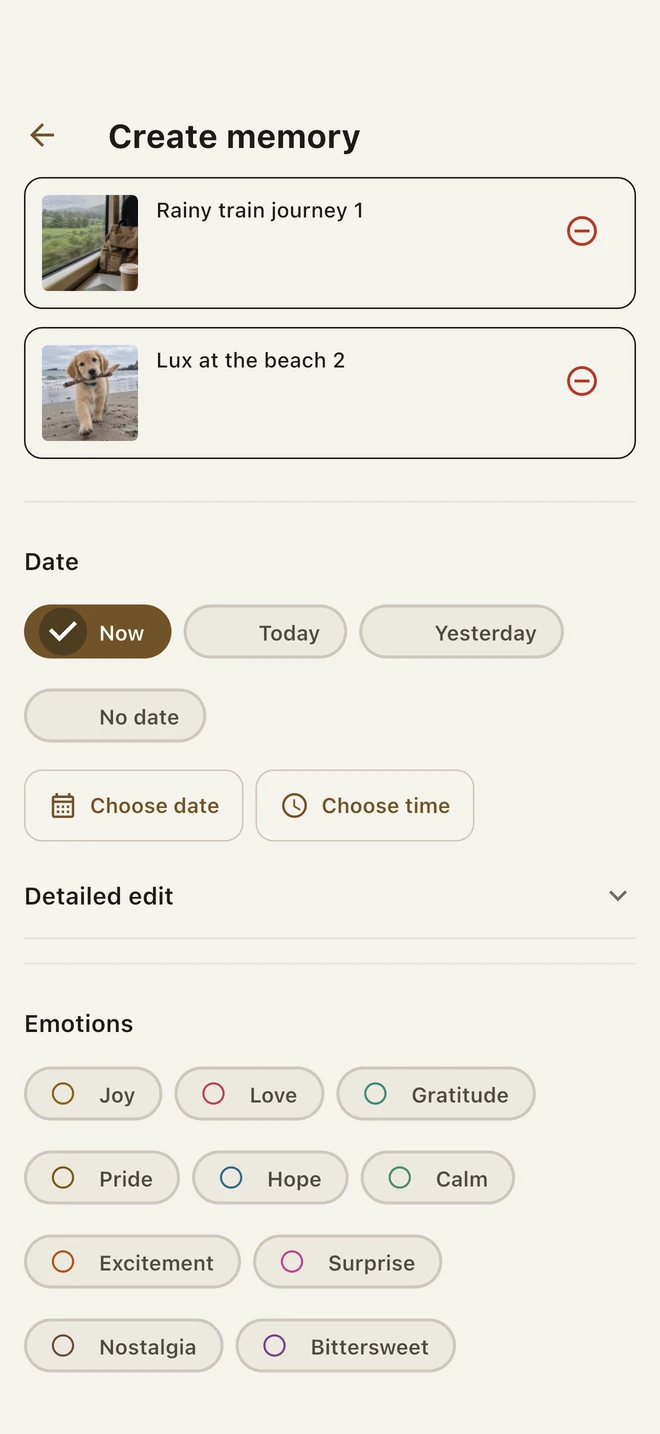
In Memonori, create a memory and add your chosen photos. Each attachment has its own preview and removal control.
- Write a short title and the story you want to keep.
- Add a photo, or a voice note if speaking feels easier.
- Optionally choose a feeling, a person or a collection.
- Check the final confirmation and save.
Find the context later
A collection such as ‘First trips’ can bring related memories together. Search your saved memories when you want to return to a detail. Memonori cannot recover a story you never recorded.
Imported photos are copied into the app’s encrypted vault. Keep an encrypted export somewhere safe: a local vault is not an automatic cloud backup.